One of the more surprising things I learned recently while working with AWS Lambda is how it interacts with the Node.js event loop.
Lambda is powered by a virtualization technology, and to optimize performance it can “freeze” and “thaw” the execution context of your code so it can be reused.
This can avoid initialization work, but can also impact the expected event loop behavior. We’ll explore this in detail. But let’s quickly refresh the Node.js concurrency model.
Already familiar with the event loop?
Go straight to the AWS Lambda section.
Concurrency model
Node.js is single threaded and the event loop is the concurrency model that allows non-blocking I/O operations to be performed by offloading operations to the system kernel whenever possible.
How? Well, we’ll have to discuss the call stack and the task queue first.
Call stack
Function calls form a stack of frames, where each frame represents a single function call.
Every time a function is called, it’s pushed onto the stack (i.e. added to the stack). When the function is done executing, it’s popped off the stack (i.e. removed from the stack).
The frames in a stack are popped off in LIFO order.
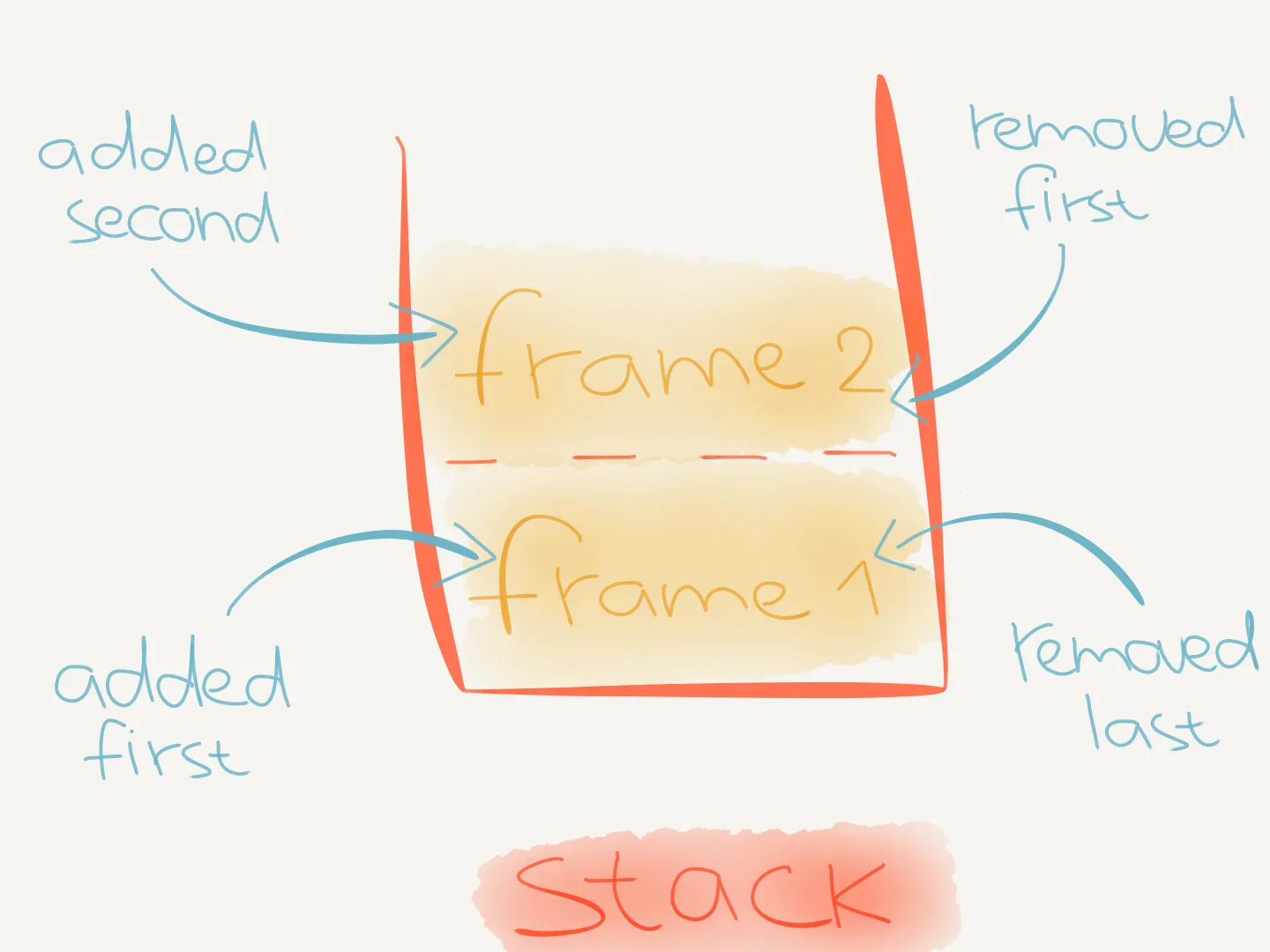
Each frame stores information about the invoked function. Like the arguments the function was called with and any variables defined inside the called function’s body.
When we execute the following code:
"use strict"
function work() { console.log("do work")}
function main() { console.log("main start") work() console.log("main end")}
main()We can visualize the call stack over time like this.
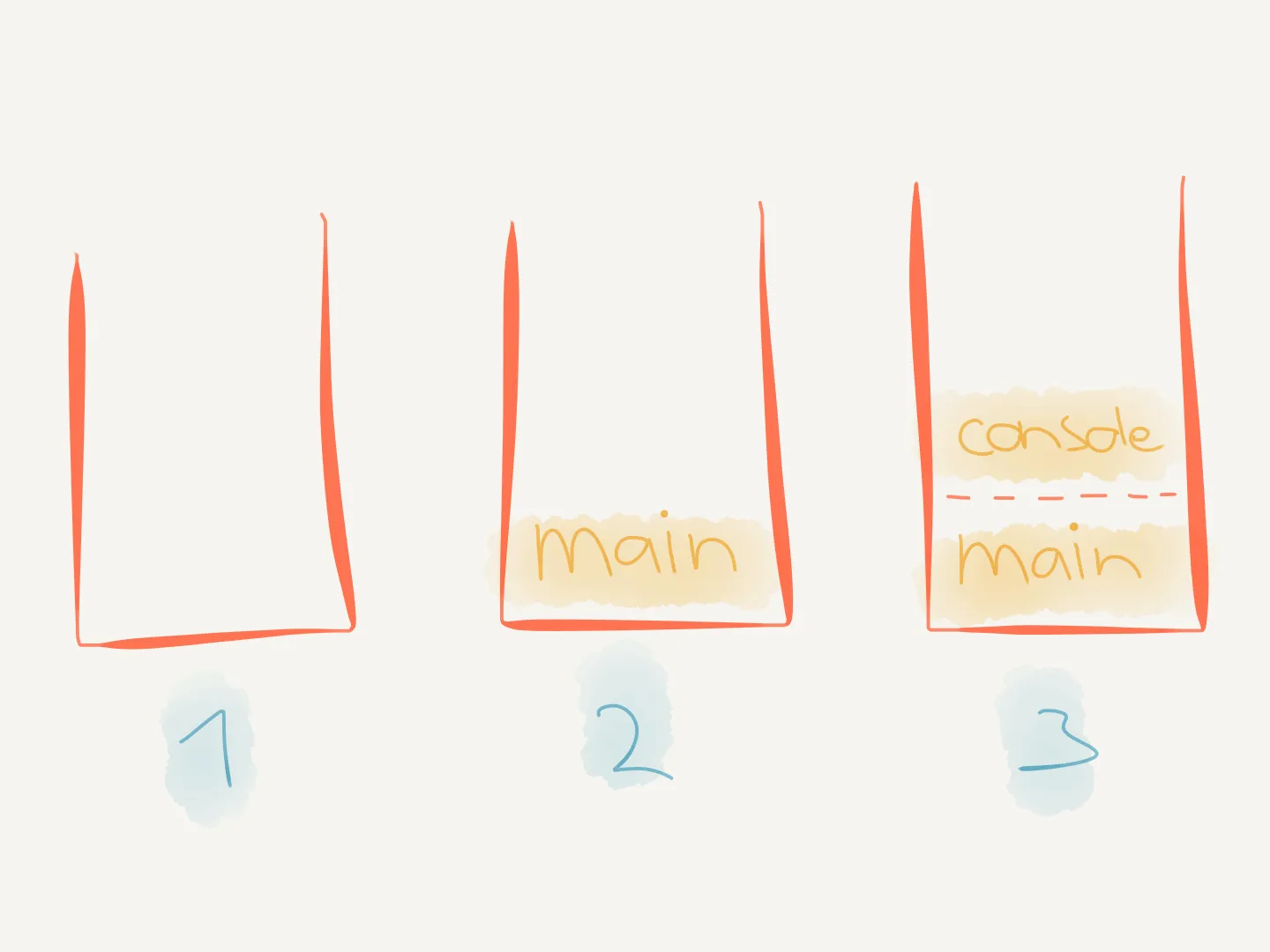
-
When the script starts executing, the call stack is empty.
-
main()is called and pushed onto the call stack:"use strict"function work() {console.log("do work")}function main() {console.log("main start")work()console.log("main end")}main() -
While executing
main,console.log("main start")is called and pushed onto the call stack:"use strict"function work() {console.log("do work")}function main() {console.log("main start")work()console.log("main end")}main()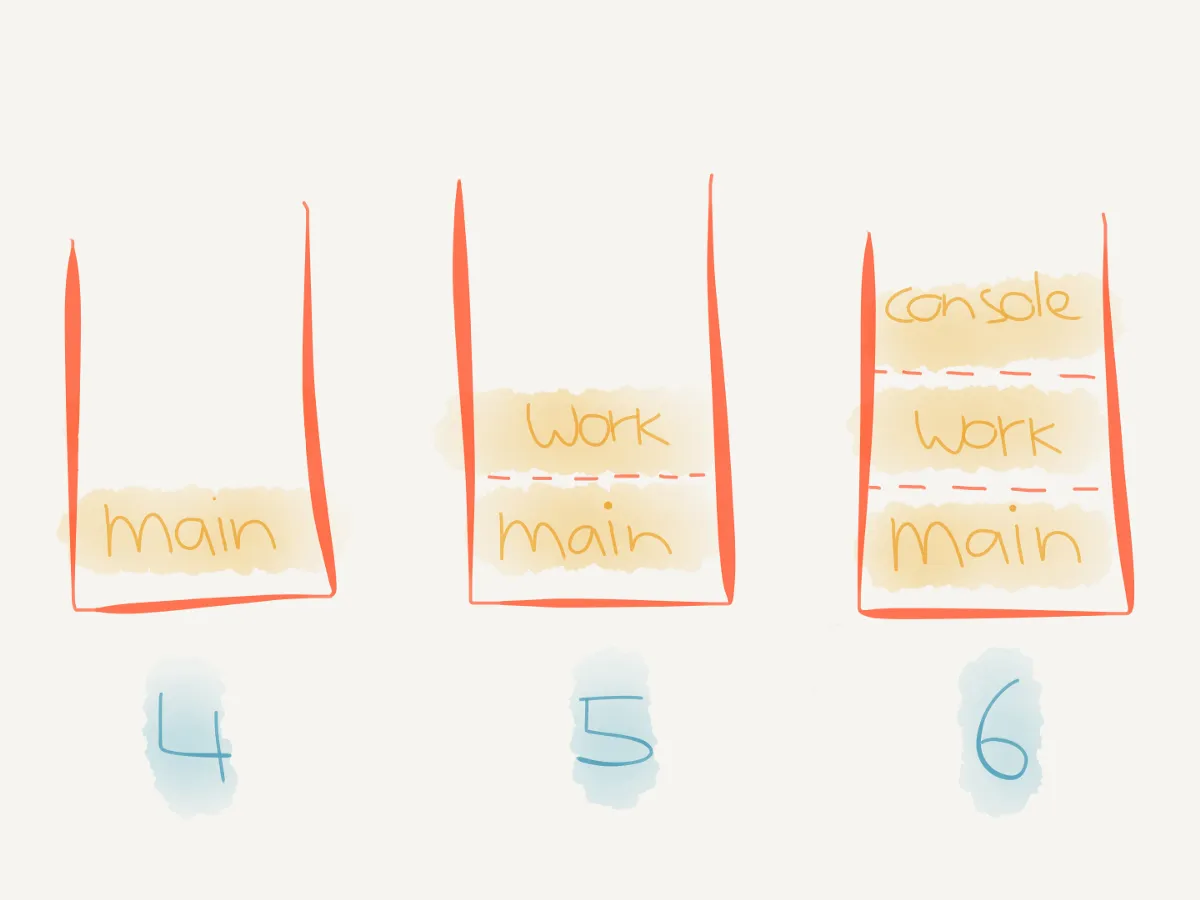
-
console.logexecutes, printsmain startand is popped off the call stack. -
maincontinues executing and callswork(), which is pushed onto the call stack:"use strict"function work() {console.log("do work")}function main() {console.log("main start")work()console.log("main end")}main() -
While executing
work,console.log("do work")is called and pushed onto the call stack:"use strict"function work() {console.log("do work")}function main() {console.log("main start")work()console.log("main end")}main()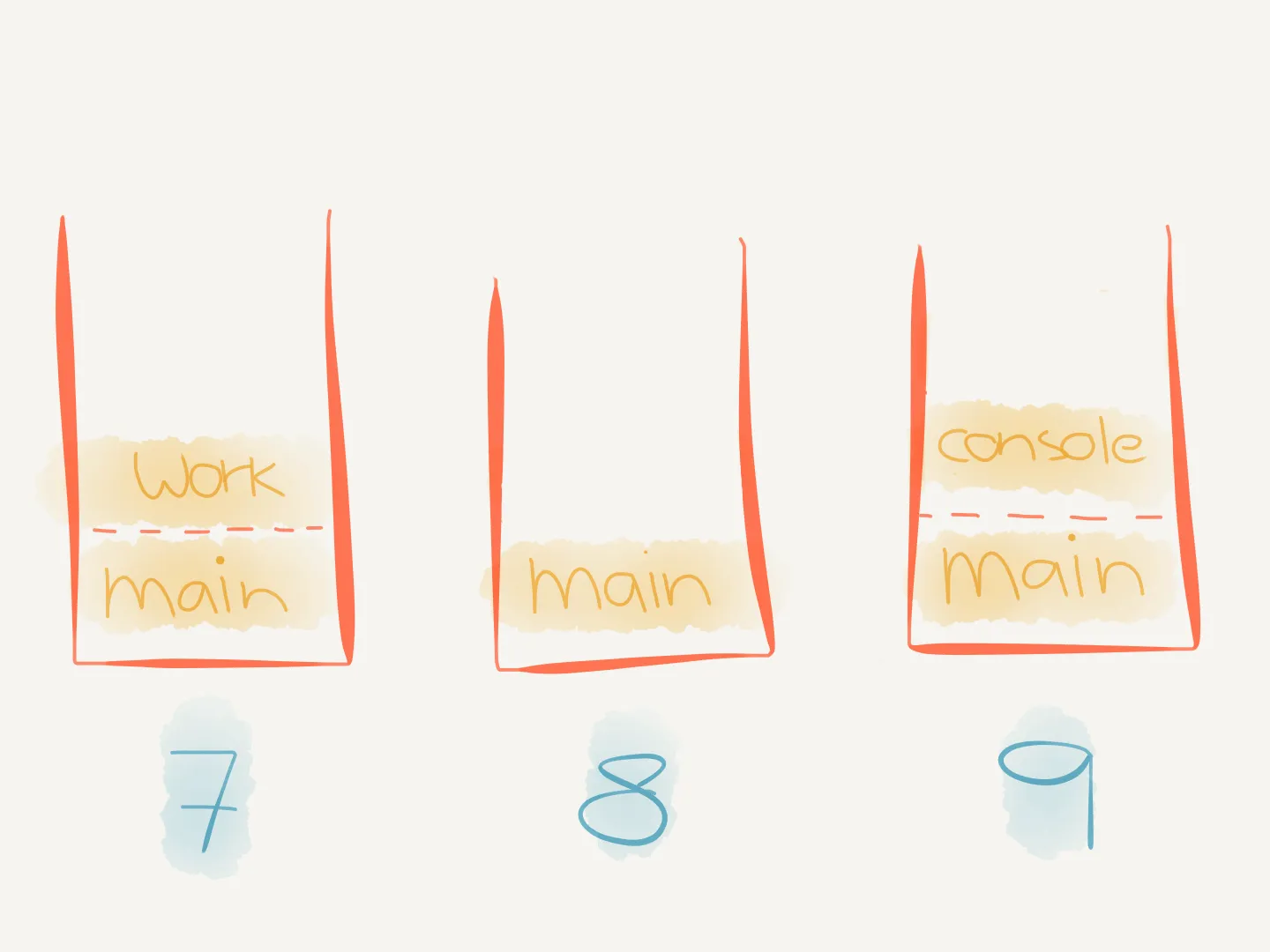
-
console.logexecutes, printsdo workand is popped off the call stack. -
workfinishes executing and is popped off the call stack. -
maincontinues executing and callsconsole.log("main end"), which is pushed onto the call stack:"use strict"function work() {console.log("do work")}function main() {console.log("main start")work()console.log("main end")}main()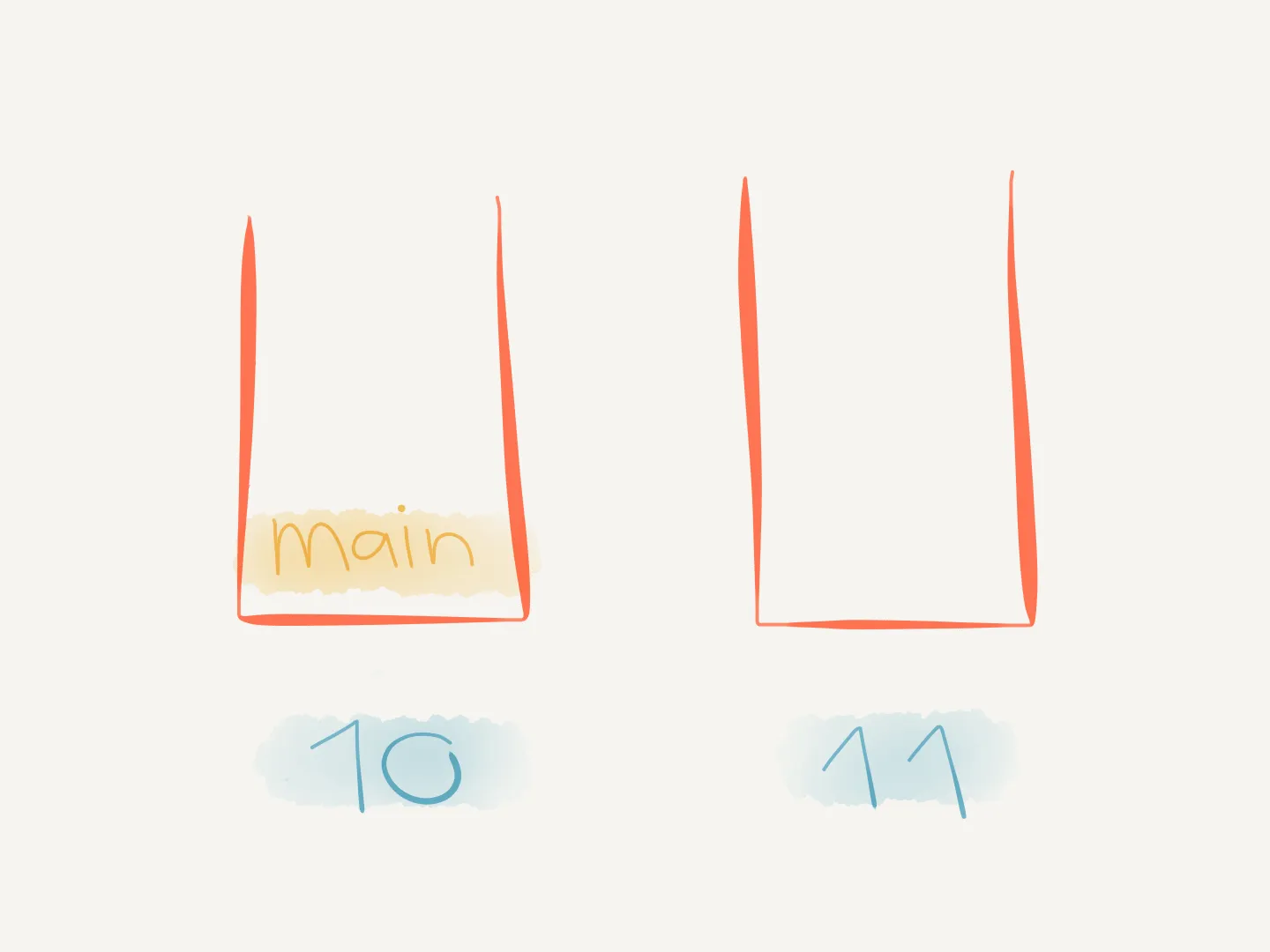
-
console.logexecutes, printsmain endand is popped off the call stack. -
mainfinishes executing and is popped off the call stack. The call stack is empty again and the script finishes executing.
This code didn’t interact with any asynchronous (internal) APIs.
But when it does (like when calling setTimeout(callback)) it makes use of the task queue.
Task queue
In this simplified model, asynchronous work in the runtime is represented as a task in a queue. Or in other words, a message queue.
Each message can be thought of as a function that will be called in FIFO order to handle said work.
One example is a setTimeout callback whose delay has elapsed.
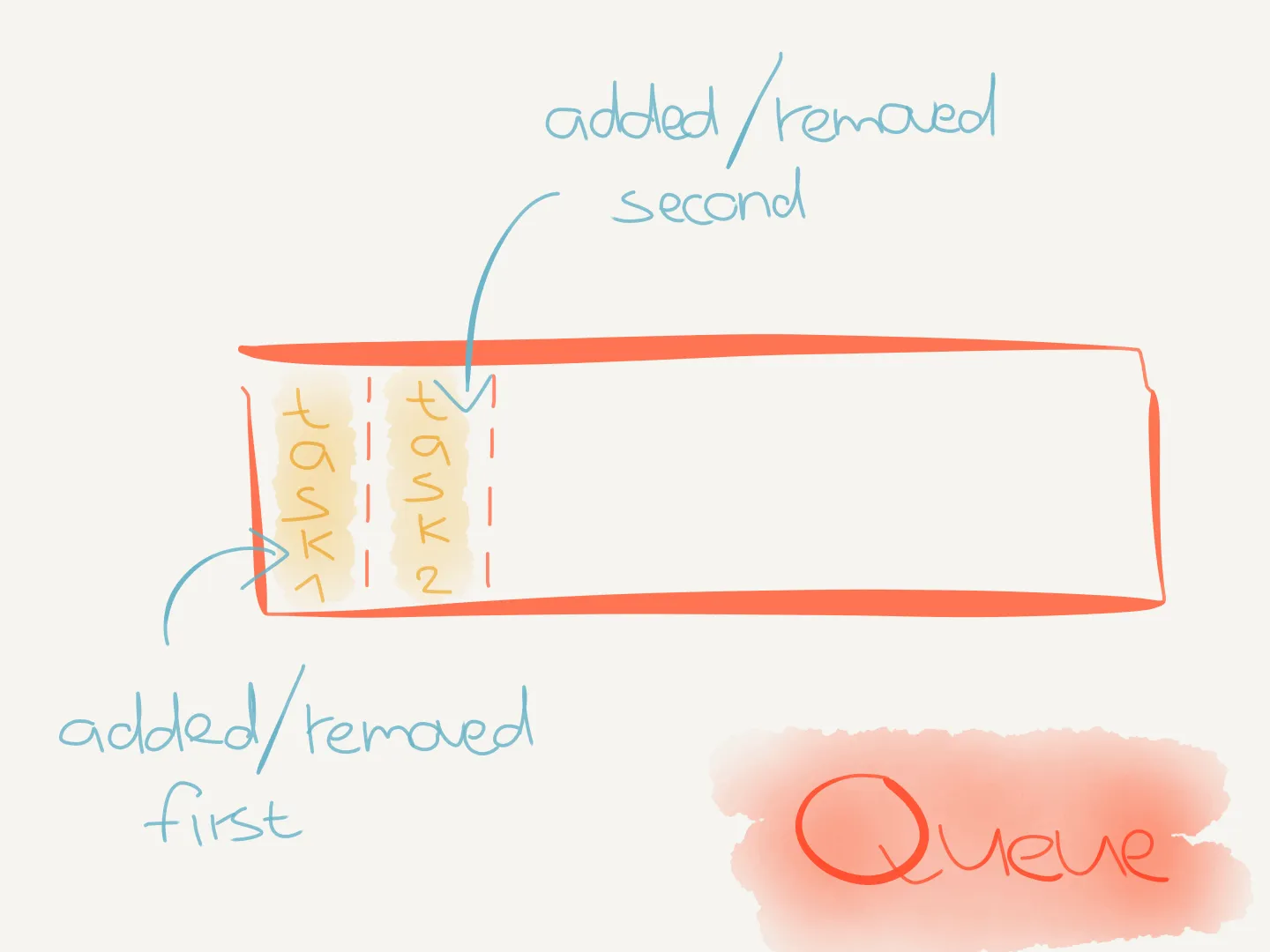
Additionally, each message is processed completely before any other message is processed. This means that whenever a function runs it can’t be interrupted. This behavior is called run-to-completion and makes it easier to reason about our JavaScript programs.
Messages get enqueued (i.e. added to the queue) and at some point messages will be dequeued (i.e. removed from the queue).
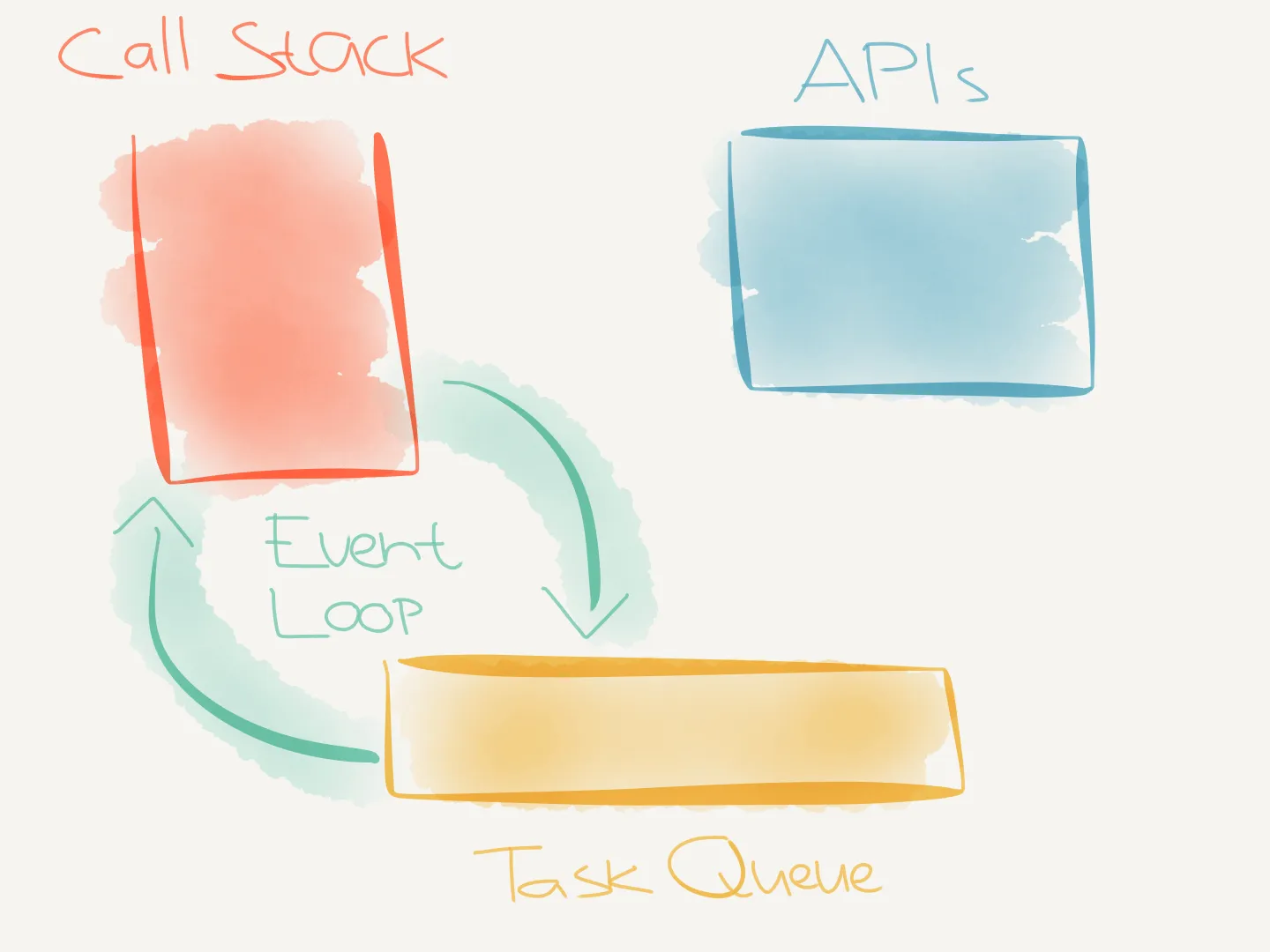
When? How? This is handled by the event loop.
Event loop
The event loop can be thought of as a loop, where every cycle is referred to as a tick. The event loop checks if there’s any work ready to run. If there is, it executes the corresponding callback, but only if the call stack is empty.
A simplified event loop can be described with the following pseudo code1:
while (queue.waitForMessage()) { queue.processNextMessage()}To summarize:
- When code executes, function calls are added to the call stack.
- Calls to asynchronous APIs like
setTimeoutregister work whose callbacks can run later. - When the call stack is empty, ready callbacks can be pushed onto the call stack and executed. Node.js may process several callbacks in one tick.
Warning
new Promise(callback)runs its callback (called the executor) immediately. It’s the handlers passed to.then()that run later. See the Promise docs for more information.
With that covered, we can explore how the AWS Lambda execution environment interacts with the Node.js event loop.
AWS Lambda
AWS Lambda invokes a Lambda function via an exported handler function, e.g. exports.handler.
For callback-based handlers, Lambda calls it with 3 arguments:
handler(event, context, callback)The callback argument may be used to return information to the caller and to signal that the handler function has completed, so Lambda may end it.
Our handler is async, so we don’t call callback ourselves.
Lambda uses the handler’s returned promise to determine when it has finished2.
Baseline
From here on we’ll use a simple script as a “baseline” to reason about the event loop behavior.
Create a file called timeout.js with the following contents:
"use strict"
function timeout(ms) { console.log("timeout start")
return new Promise((resolve) => { setTimeout(() => { console.log(`timeout cb fired after ${ms} ms`) resolve() }, ms) })}
async function main() { console.log("main start") timeout(5e3) console.log("main end")}
main()When we execute this script locally (not via Lambda) with node timeout.js, the following will print:
main starttimeout startmain endtimeout cb fired after 5000 msThe last message takes ~5 seconds to print, but the script does not stop executing before it does.
The timer keeps the Node.js process alive, even though main has returned.
What happens in Lambda, stays in Lambda
Now let’s modify the code from timeout.js so it’s compatible with Lambda:
"use strict"
function timeout(ms) { console.log("timeout start")
return new Promise((resolve) => { setTimeout(() => { console.log(`timeout cb fired after ${ms} ms`) resolve() }, ms) })}
async function main() { console.log("main start") timeout(5e3) console.log("main end")}
exports.handler = mainYou can create a new function in the AWS Lambda console and paste in the code from above.
Use a CommonJS file called timeout.js, configure the handler as timeout.handler, and give the function a timeout longer than five seconds.
Run it, sit back and enjoy.
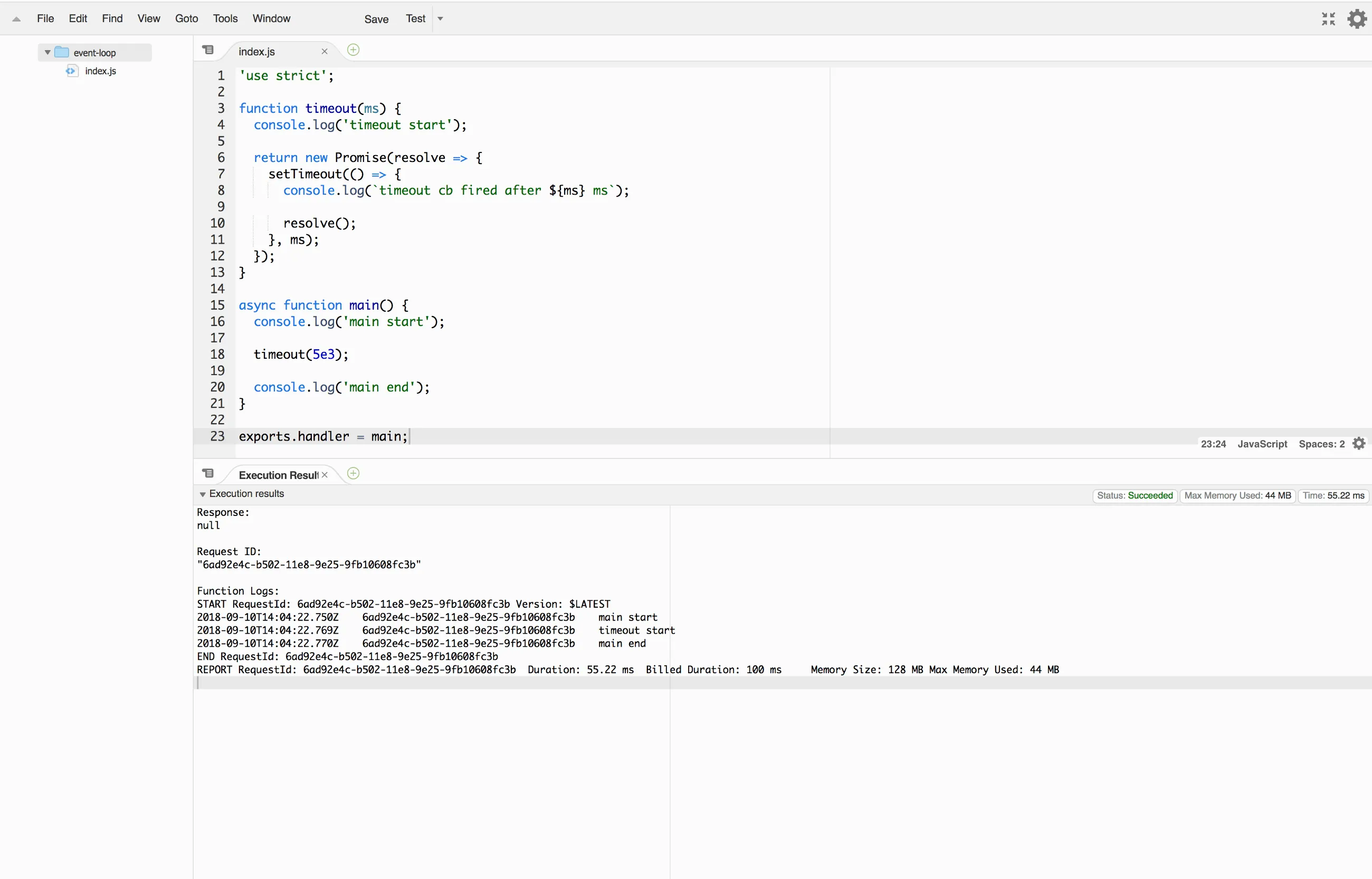
Wait, what? Lambda just ended the handler function without printing the last message timeout cb fired after 5000 ms.
Let’s run it again.
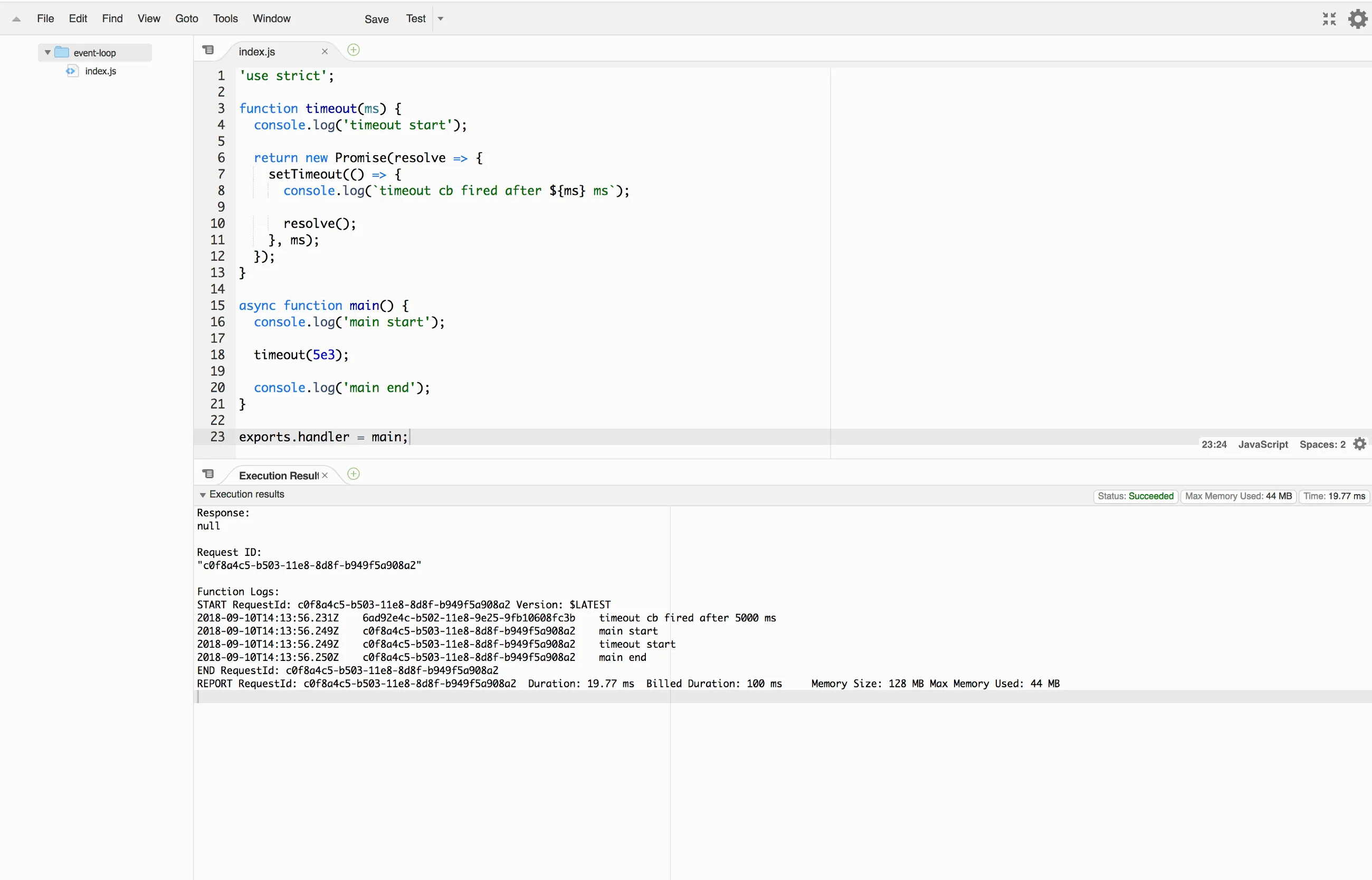
It now prints timeout cb fired after 5000 ms first and then the other ones!
So what’s going on here?
AWS Lambda execution model
AWS Lambda takes care of provisioning and managing resources needed to run your functions. When a new execution context is needed, Lambda creates one for you based on the configuration you provide. The execution context is a temporary runtime environment that initializes any external dependencies of your Lambda function.
After a Lambda function is called, Lambda maintains the execution context for some time in anticipation of another invocation of the Lambda function (for performance benefits). It freezes the execution context after a Lambda function completes and may choose to reuse (thaw) the same execution context when the Lambda function is called again (but it doesn’t have to).
Our handler returns a promise because it’s an async function.
Lambda can complete the invocation when that promise settles.
Calling timeout(5e3) creates a separate promise, which main ignores.
Since main doesn’t await it, the handler can finish before the timer fires.
The callbackWaitsForEmptyEventLoop setting controls callback-based completion;
it doesn’t make this async handler wait for the ignored promise.
Okay, so with this information we can make sense of what happened when we executed the code in timeout.js before.
Let’s break it down and go over it step by step.
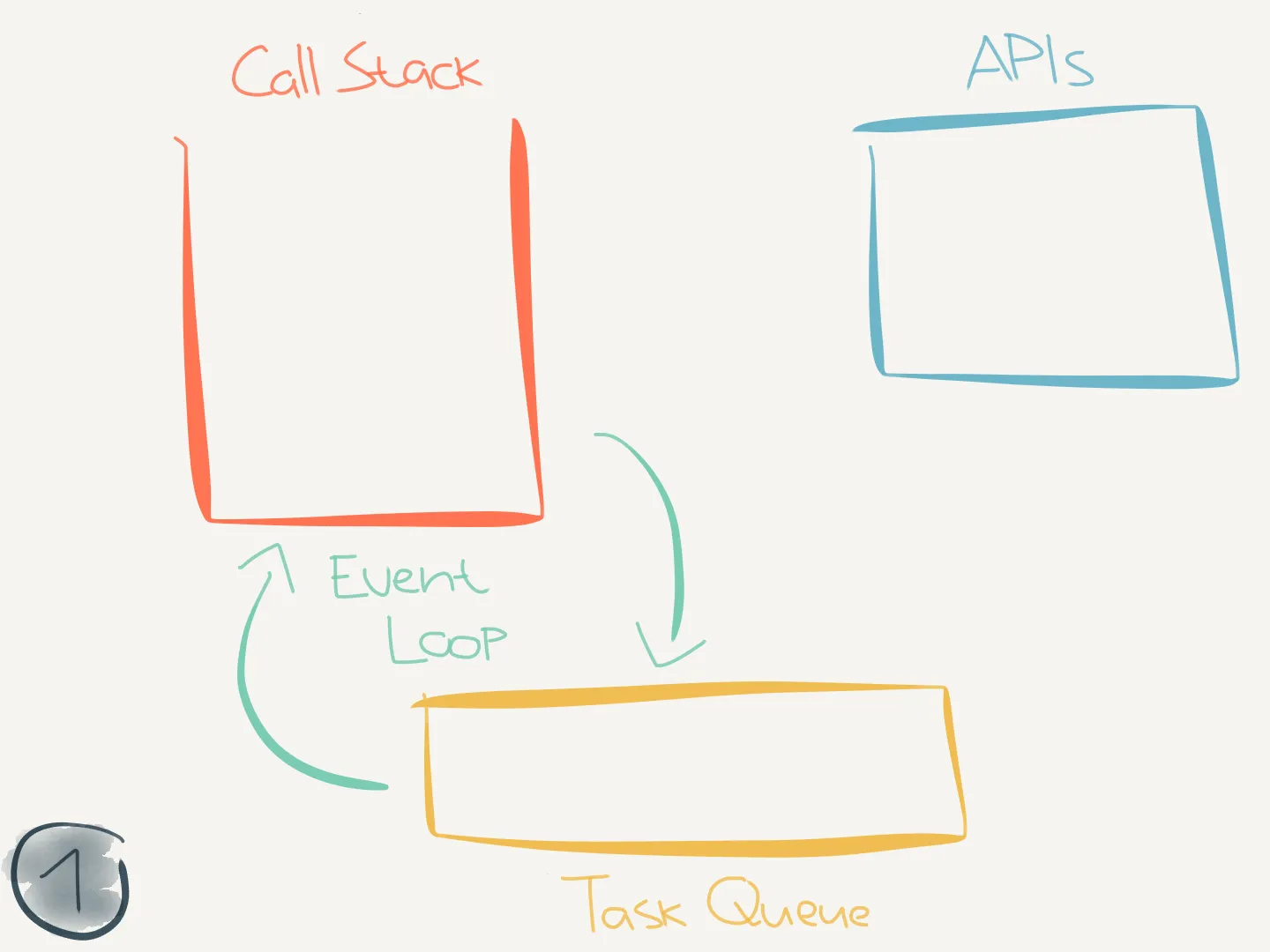
-
Lambda starts executing the code in
timeout.js. The call stack is empty.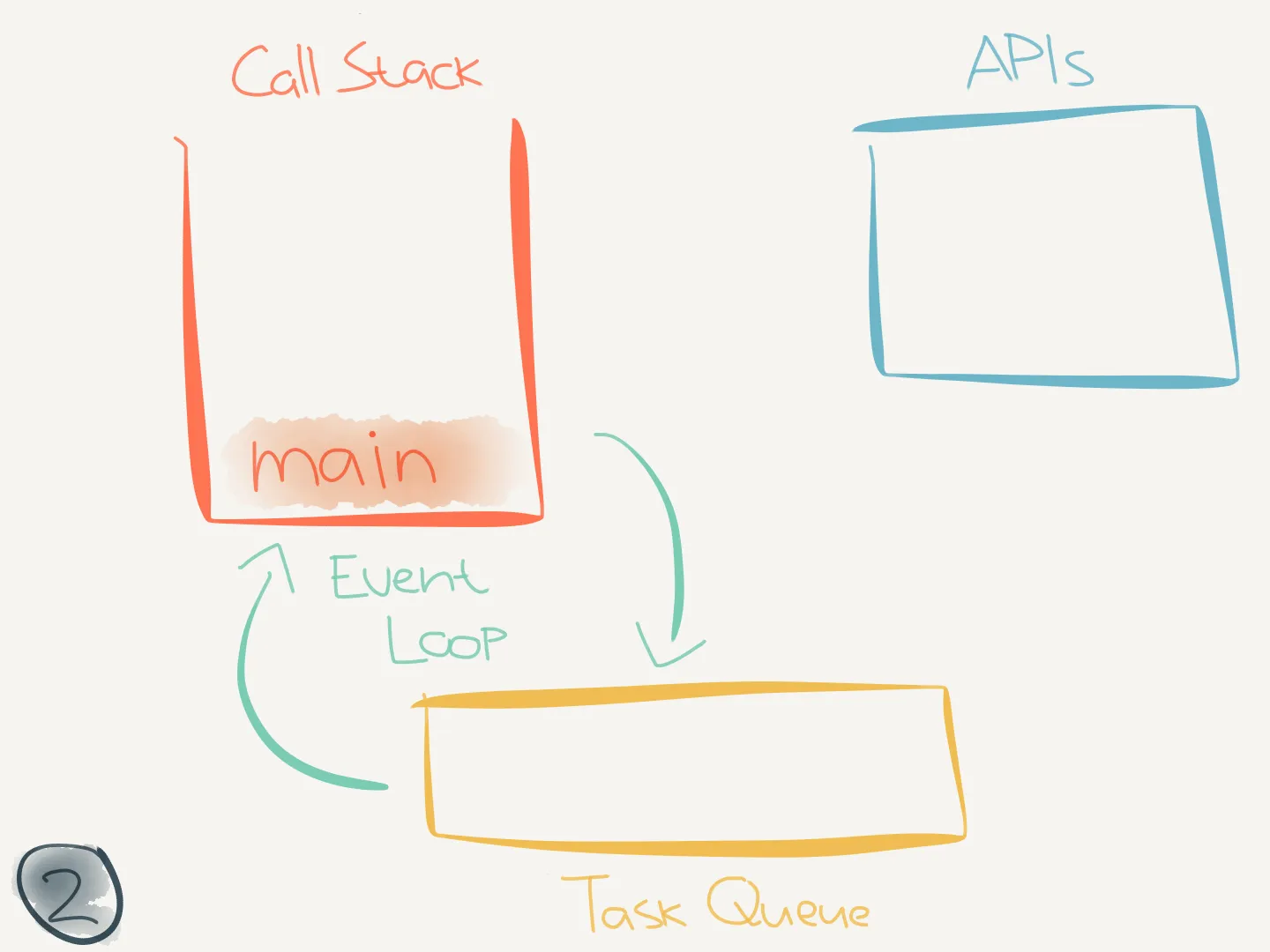
-
mainis called and pushed onto the call stack:timeout.js "use strict"function timeout(ms) {console.log("timeout start")return new Promise((resolve) => {setTimeout(() => {console.log(`timeout cb fired after ${ms} ms`)resolve()}, ms)})}async function main() {console.log("main start")timeout(5e3)console.log("main end")}exports.handler = main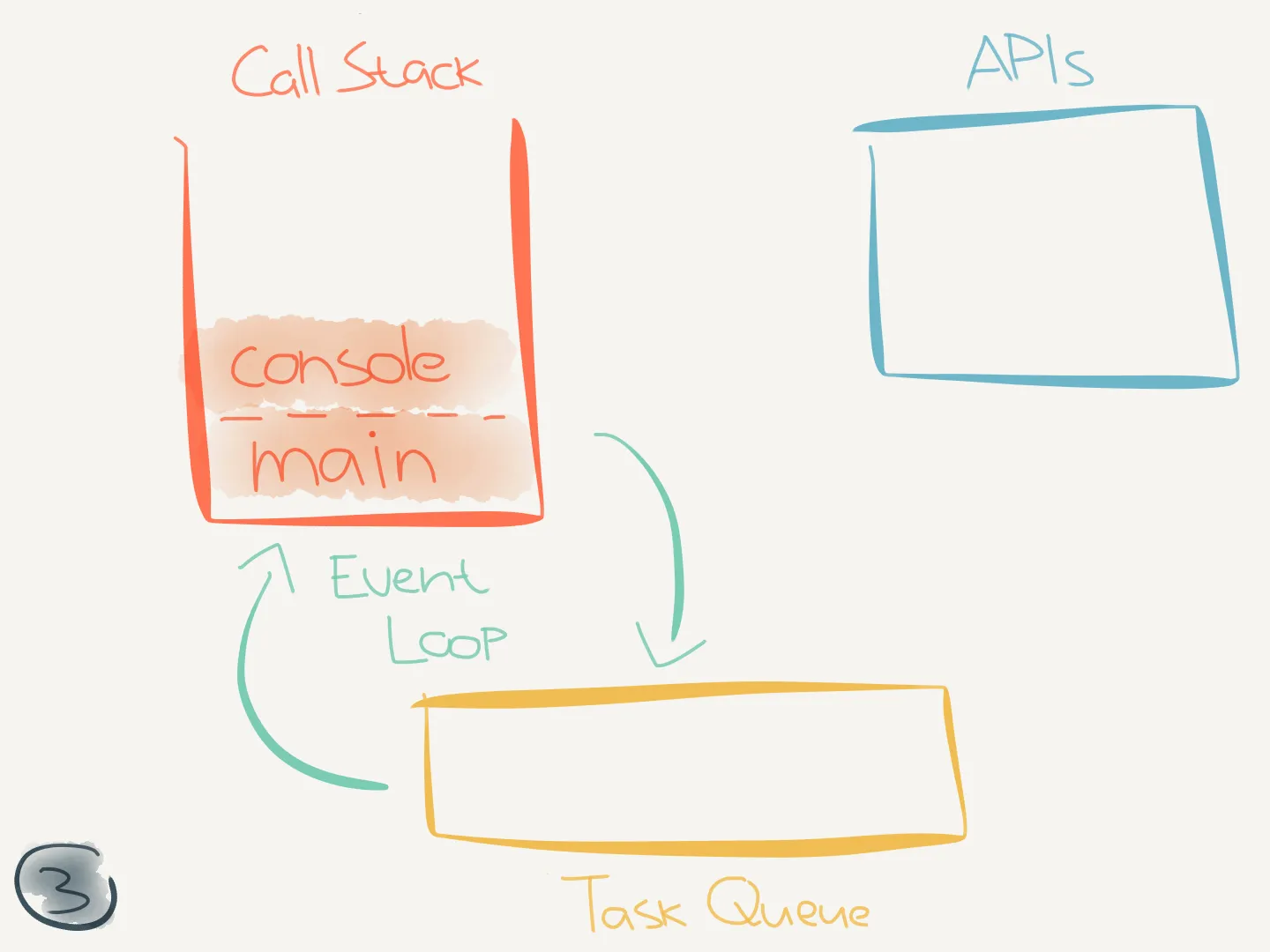
-
While executing
main,console.log("main start")is called and pushed onto the call stack:timeout.js "use strict"function timeout(ms) {console.log("timeout start")return new Promise((resolve) => {setTimeout(() => {console.log(`timeout cb fired after ${ms} ms`)resolve()}, ms)})}async function main() {console.log("main start")timeout(5e3)console.log("main end")}exports.handler = main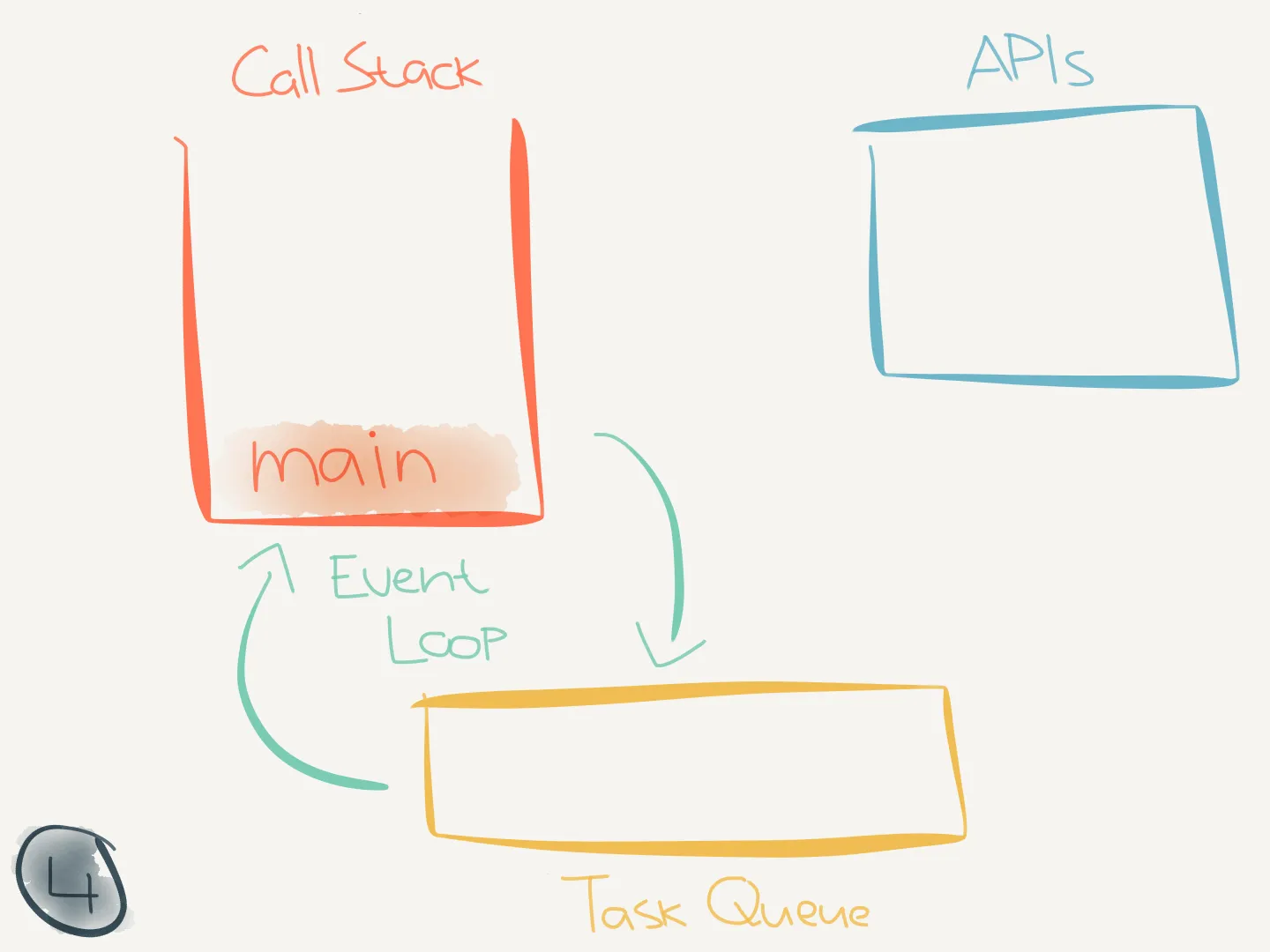
-
console.logexecutes, printsmain startand is popped off the call stack.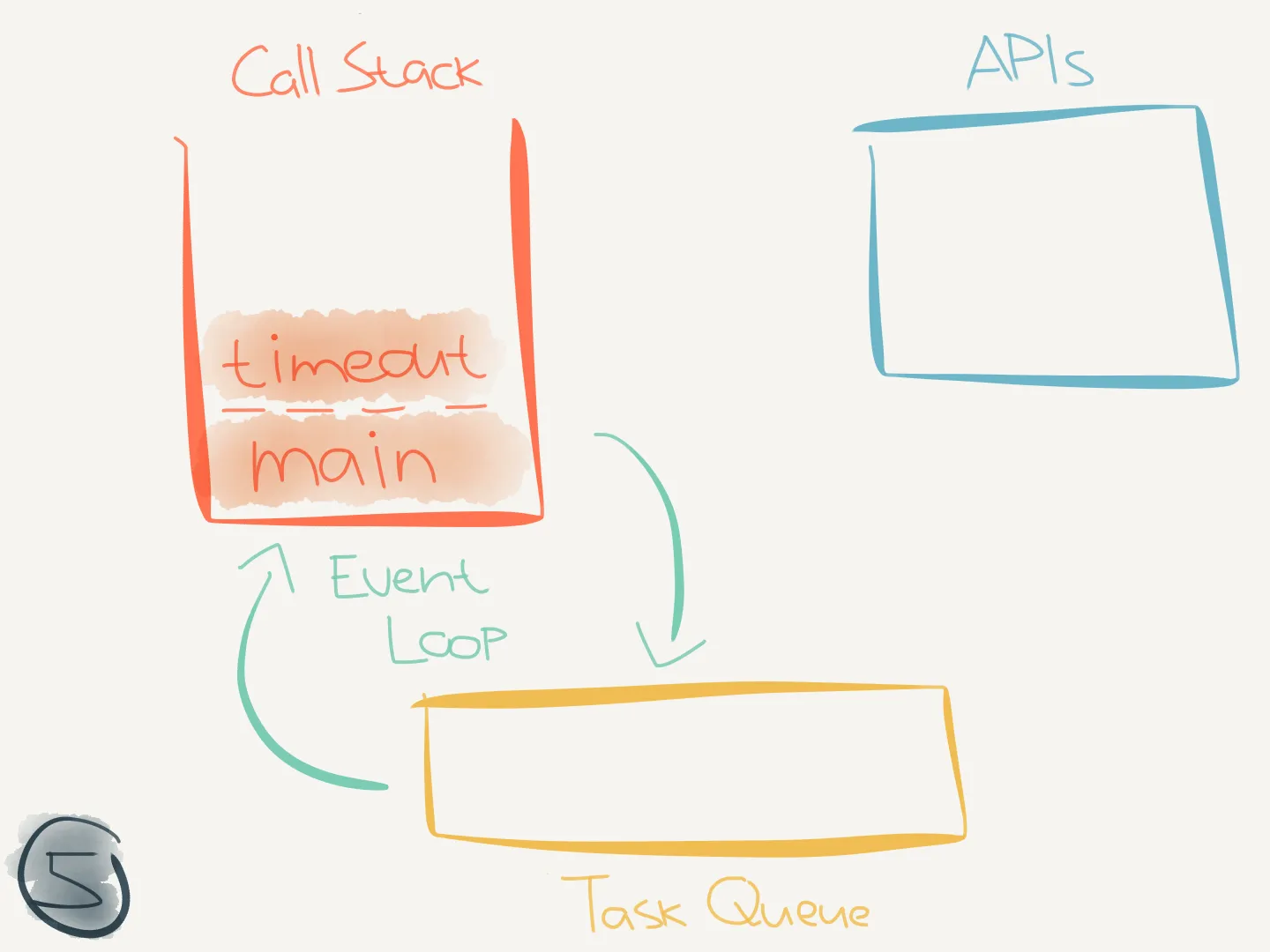
-
maincontinues executing and callstimeout(5e3), which is pushed onto the call stack:timeout.js "use strict"function timeout(ms) {console.log("timeout start")return new Promise((resolve) => {setTimeout(() => {console.log(`timeout cb fired after ${ms} ms`)resolve()}, ms)})}async function main() {console.log("main start")timeout(5e3)console.log("main end")}exports.handler = main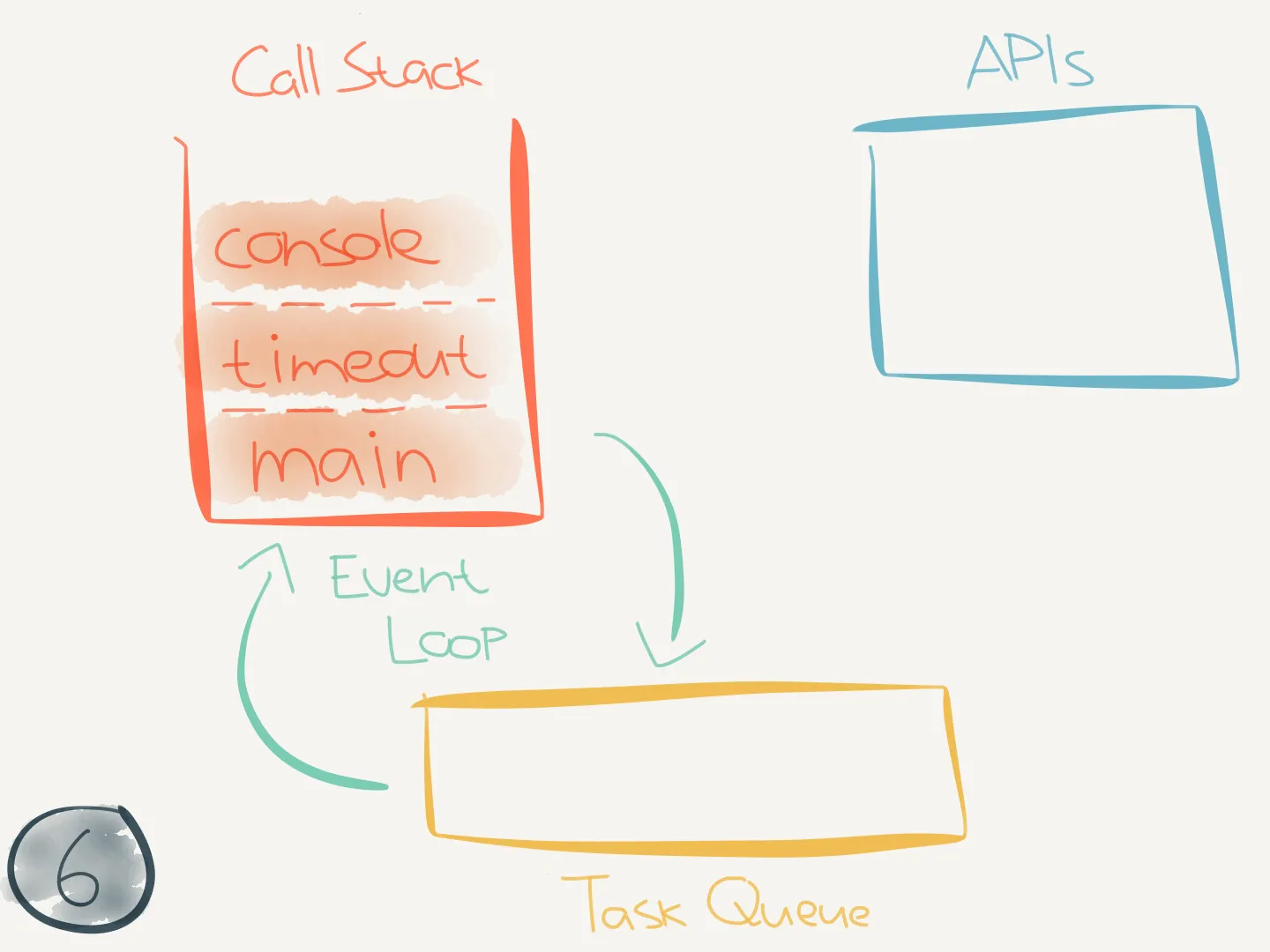
-
While executing
timeout,console.log("timeout start")is called and pushed onto the call stack:timeout.js "use strict"function timeout(ms) {console.log("timeout start")return new Promise((resolve) => {setTimeout(() => {console.log(`timeout cb fired after ${ms} ms`)resolve()}, ms)})}async function main() {console.log("main start")timeout(5e3)console.log("main end")}exports.handler = main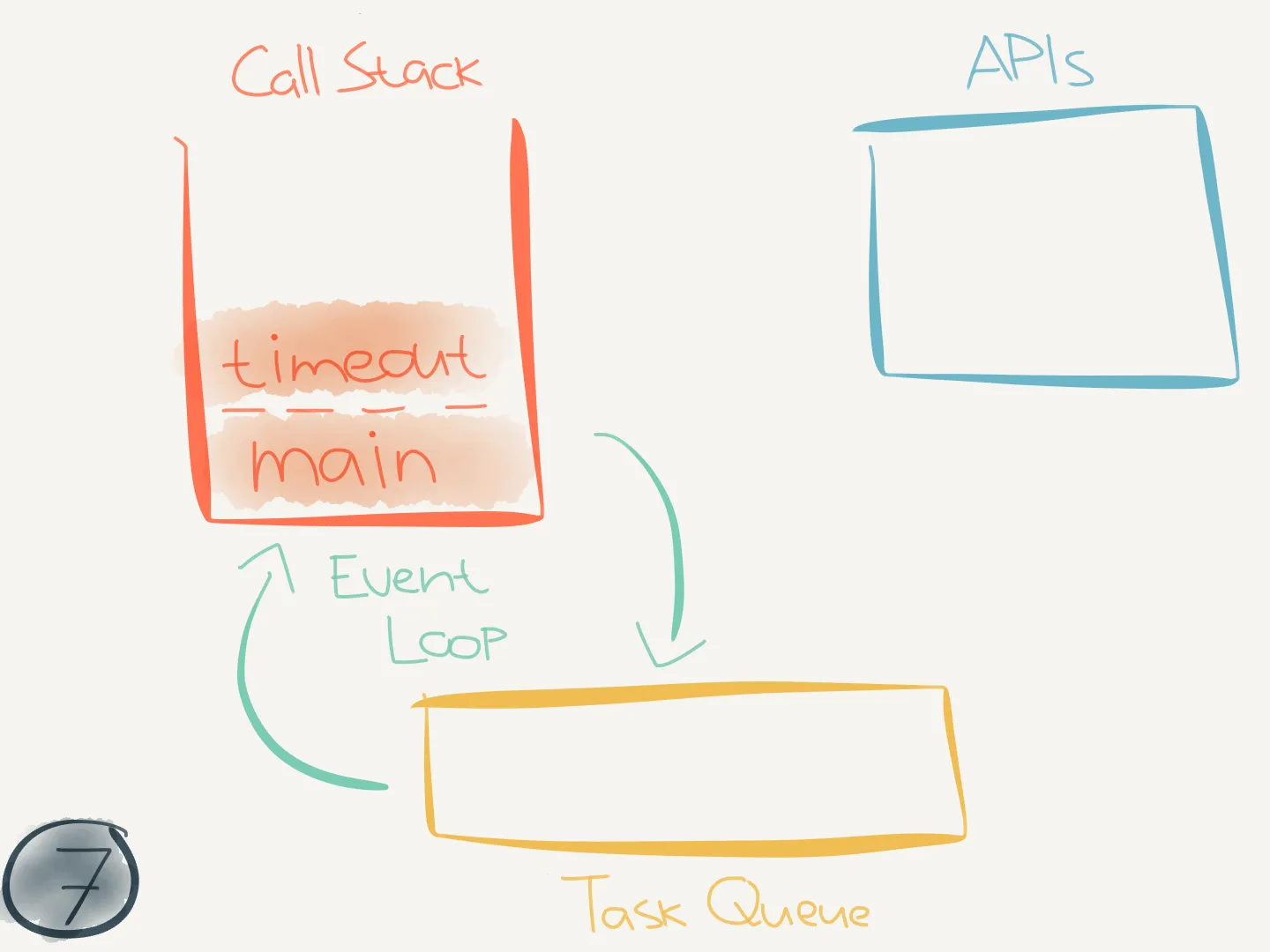
-
console.logexecutes, printstimeout startand is popped off the call stack.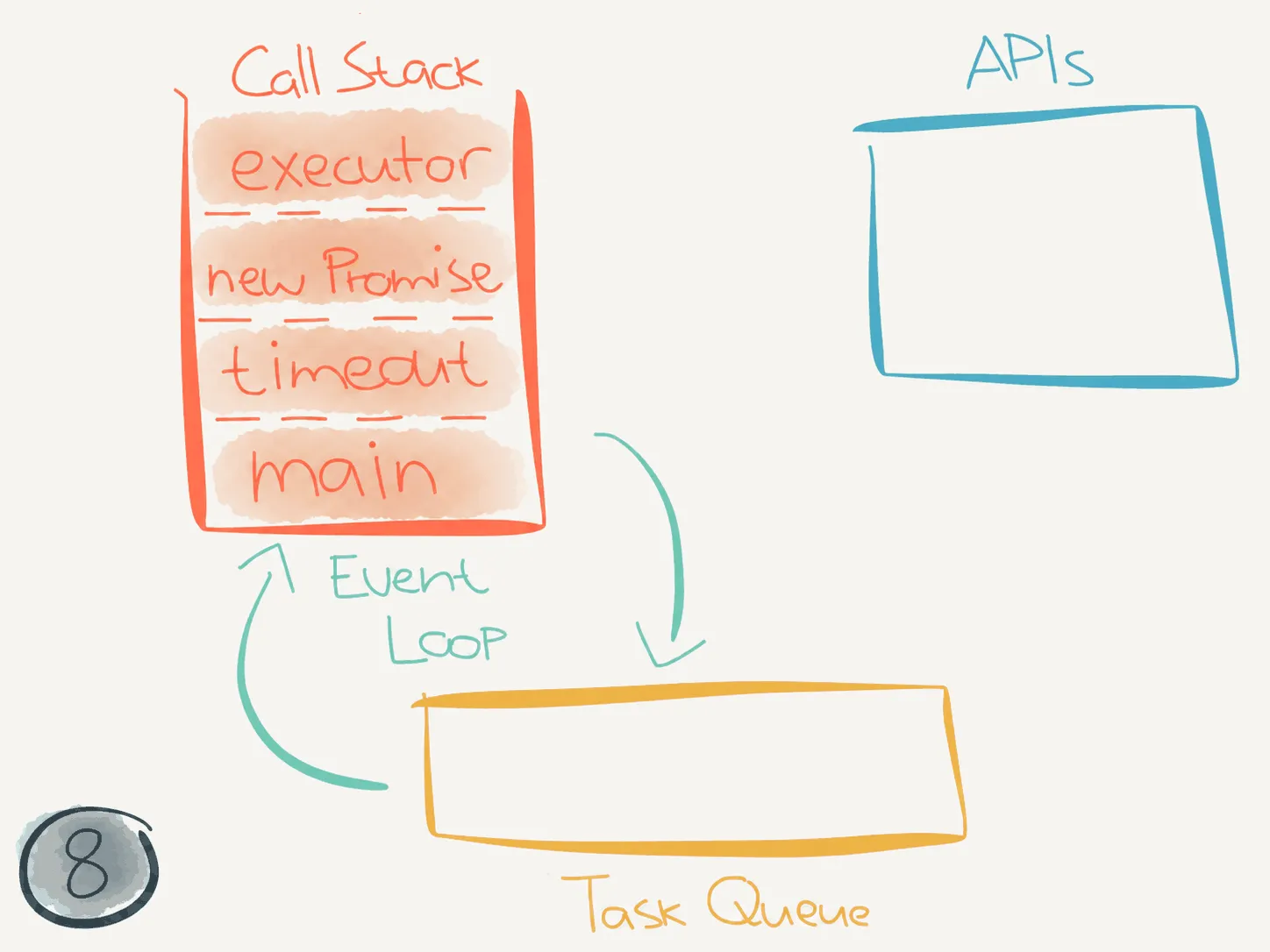
-
timeoutcontinues executing and invokes thePromiseconstructor on line 6. The constructor immediately calls the executor (i.e. the callback), which is pushed onto the call stack:timeout.js "use strict"function timeout(ms) {console.log("timeout start")return new Promise((resolve) => {setTimeout(() => {console.log(`timeout cb fired after ${ms} ms`)resolve()}, ms)})}async function main() {console.log("main start")timeout(5e3)console.log("main end")}exports.handler = main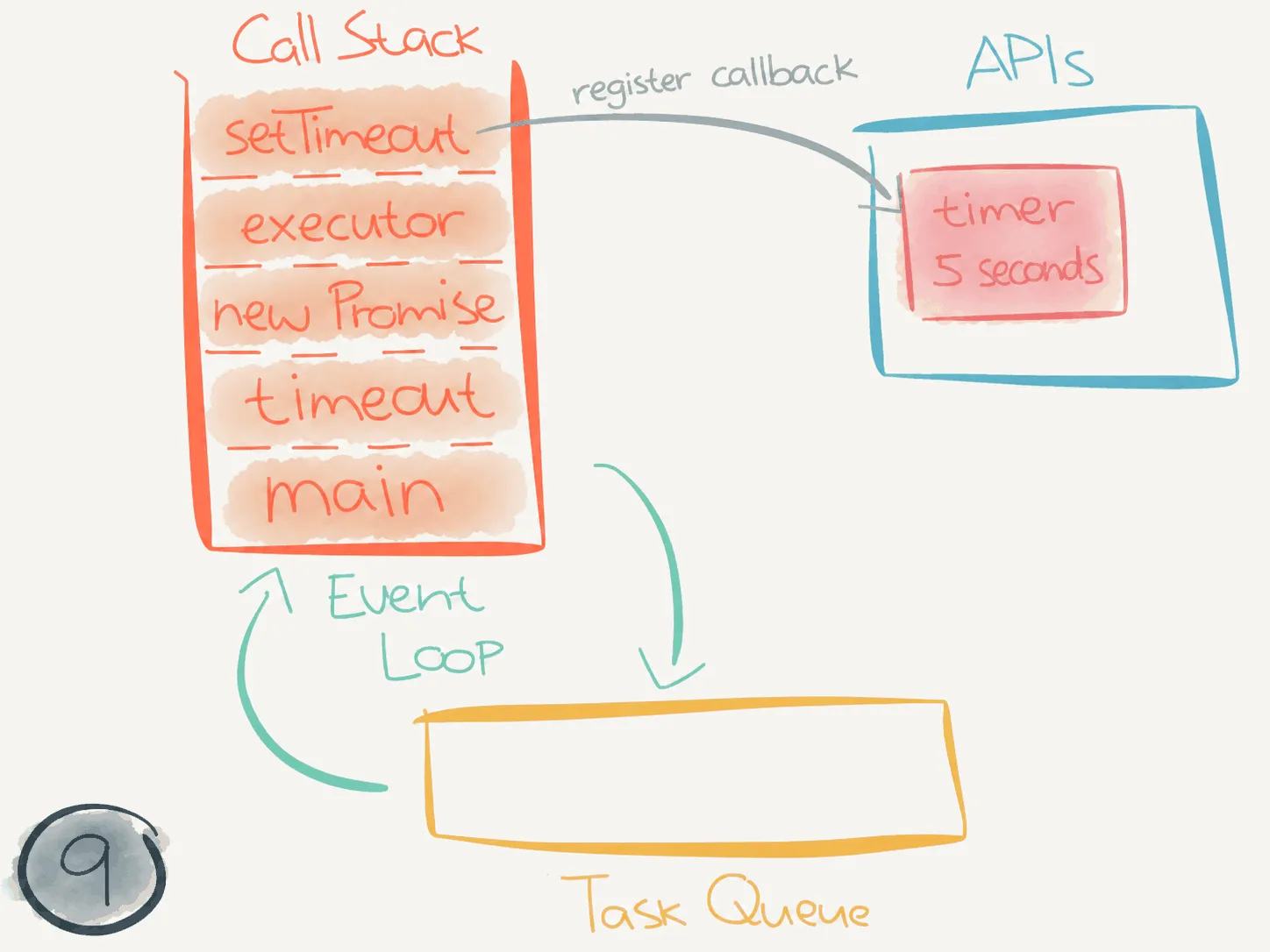
-
The executor calls
setTimeouton line 7, which registers the timer and its callback. After the delay, the timer callback can run when the call stack is empty:timeout.js "use strict"function timeout(ms) {console.log("timeout start")return new Promise((resolve) => {setTimeout(() => {console.log(`timeout cb fired after ${ms} ms`)resolve()}, ms)})}async function main() {console.log("main start")timeout(5e3)console.log("main end")}exports.handler = main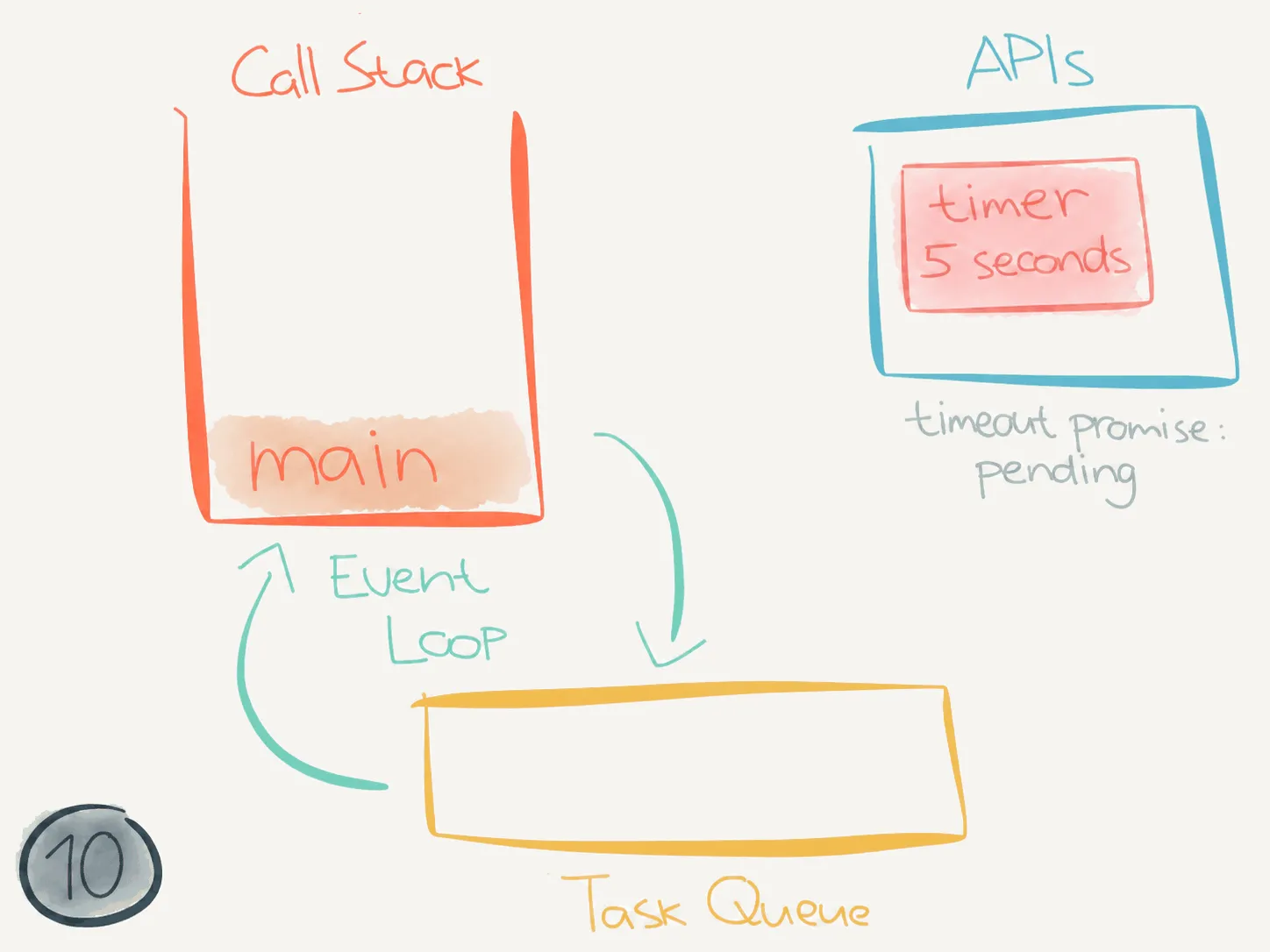
-
setTimeoutreturns, then the executor returns. The constructor returns a pending promise, andtimeoutreturns that promise tomain. Onlymainremains on the call stack. It ignores the returned promise and continues immediately.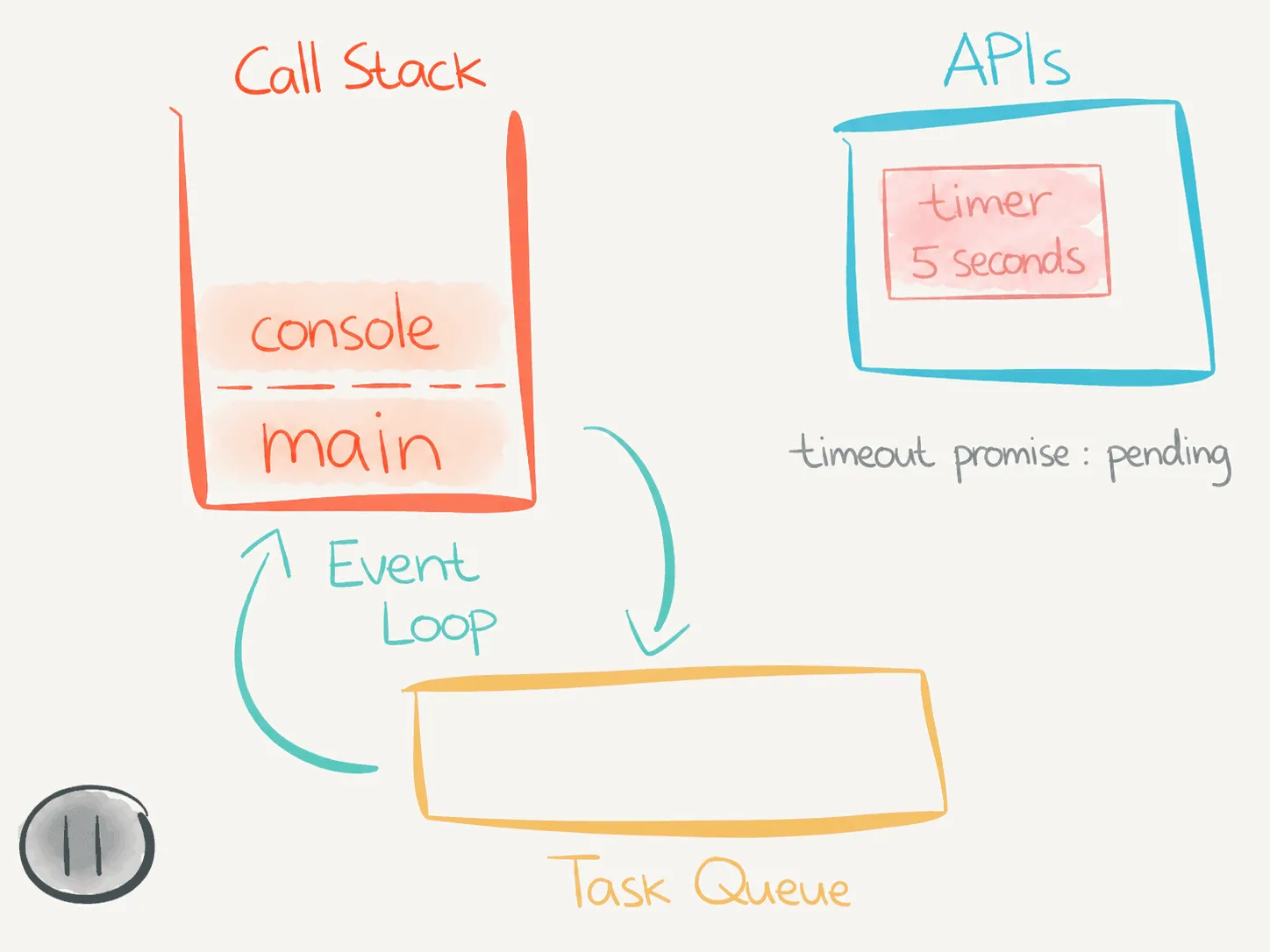
-
maincontinues executing and callsconsole.log("main end"):timeout.js "use strict"function timeout(ms) {console.log("timeout start")return new Promise((resolve) => {setTimeout(() => {console.log(`timeout cb fired after ${ms} ms`)resolve()}, ms)})}async function main() {console.log("main start")timeout(5e3)console.log("main end")}exports.handler = main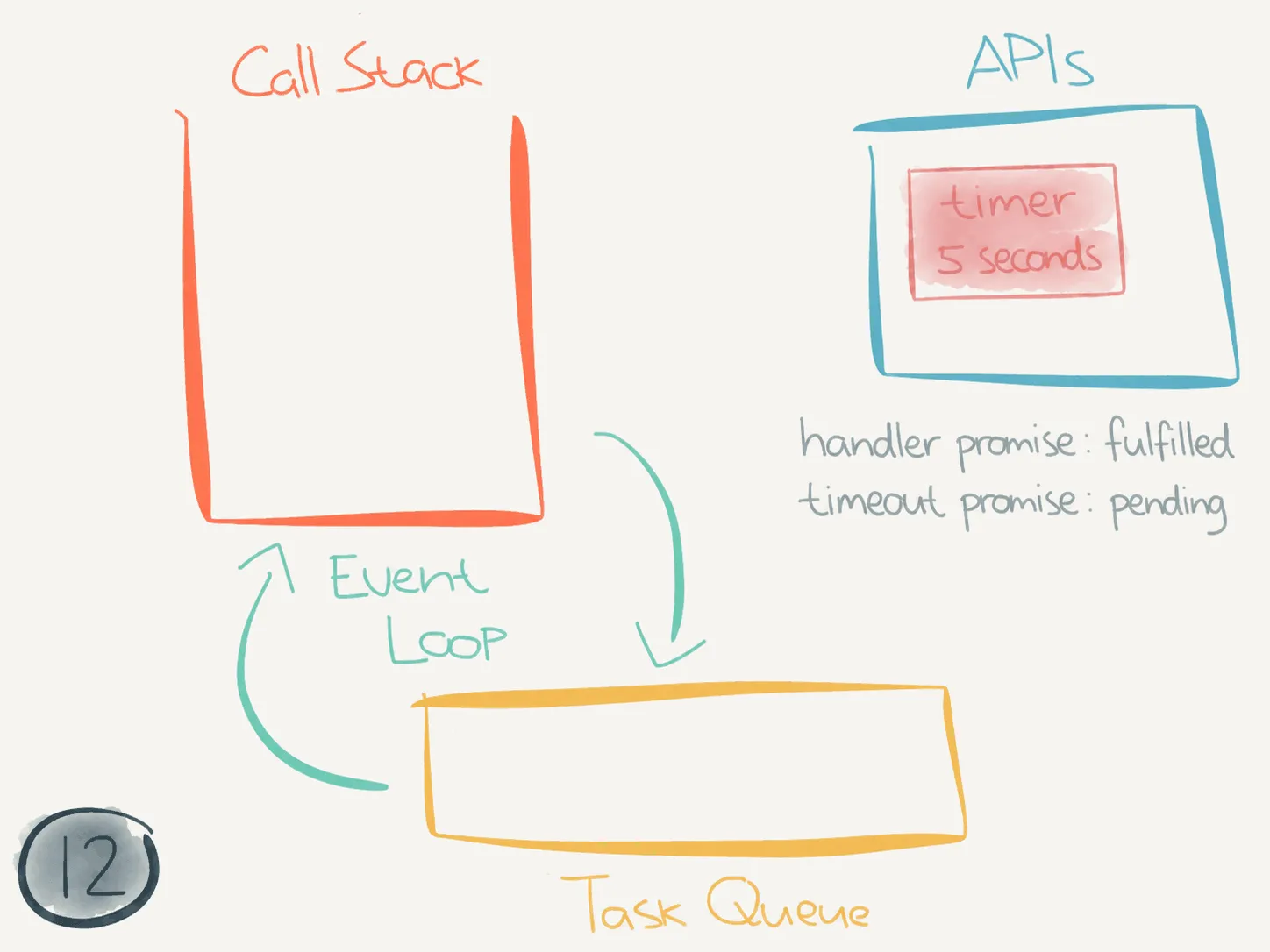
-
console.logprintsmain endand is popped off the call stack. Thenmainfinishes executing and is popped off too. Its returned promise is fulfilled, while the promise returned bytimeoutis still pending.
At this point the call stack is empty and the timer callback isn’t ready yet. The timer would keep a local Node.js process alive, but Lambda can complete this invocation because the handler’s returned promise has fulfilled. So it can freeze the process and return results to the caller!
The interesting part here is that Lambda doesn’t immediately destroy its execution context.
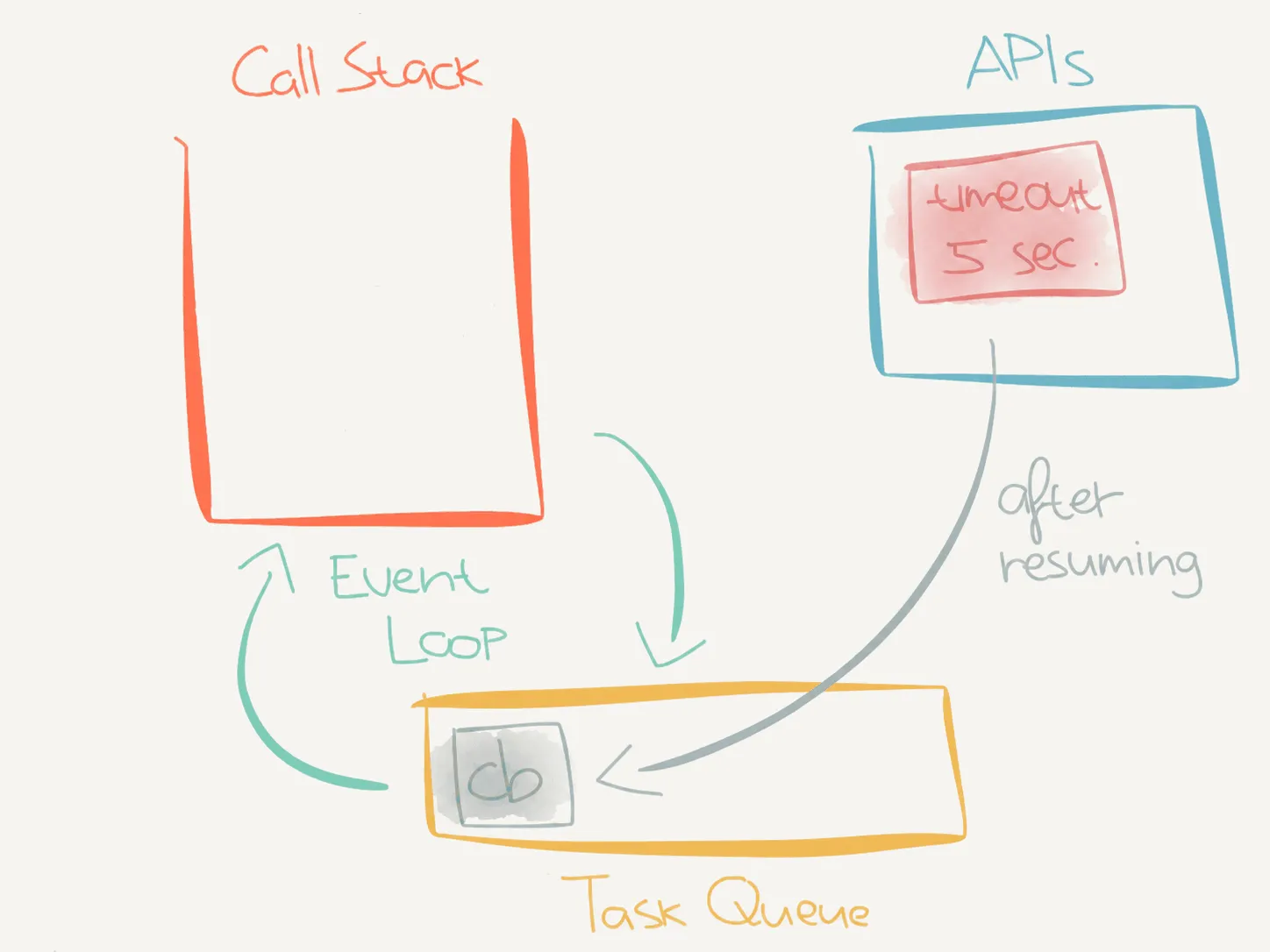
In my experiment, waiting for +5 seconds and running the Lambda again (like in the second run) printed the setTimeout callback’s message first.
The execution context was still around, but JavaScript wasn’t running while it was frozen. When Lambda reused it, the timer’s delay had already elapsed, so its callback was ready to run:
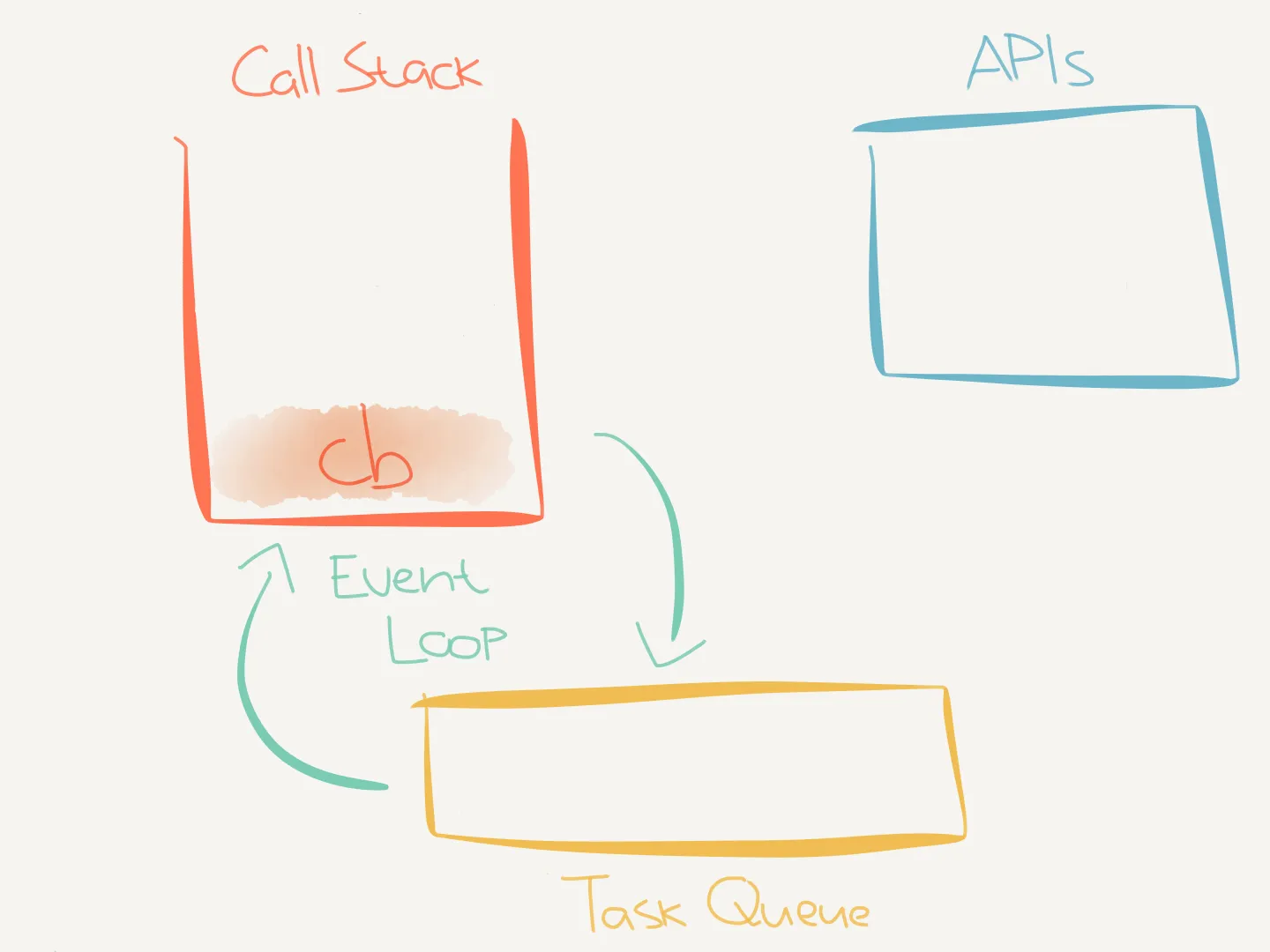
The event loop could then push the callback onto the call stack:
This resulted in timeout cb fired after 5000 ms being printed first, because in this run it executed before any of the code in our Lambda handler:
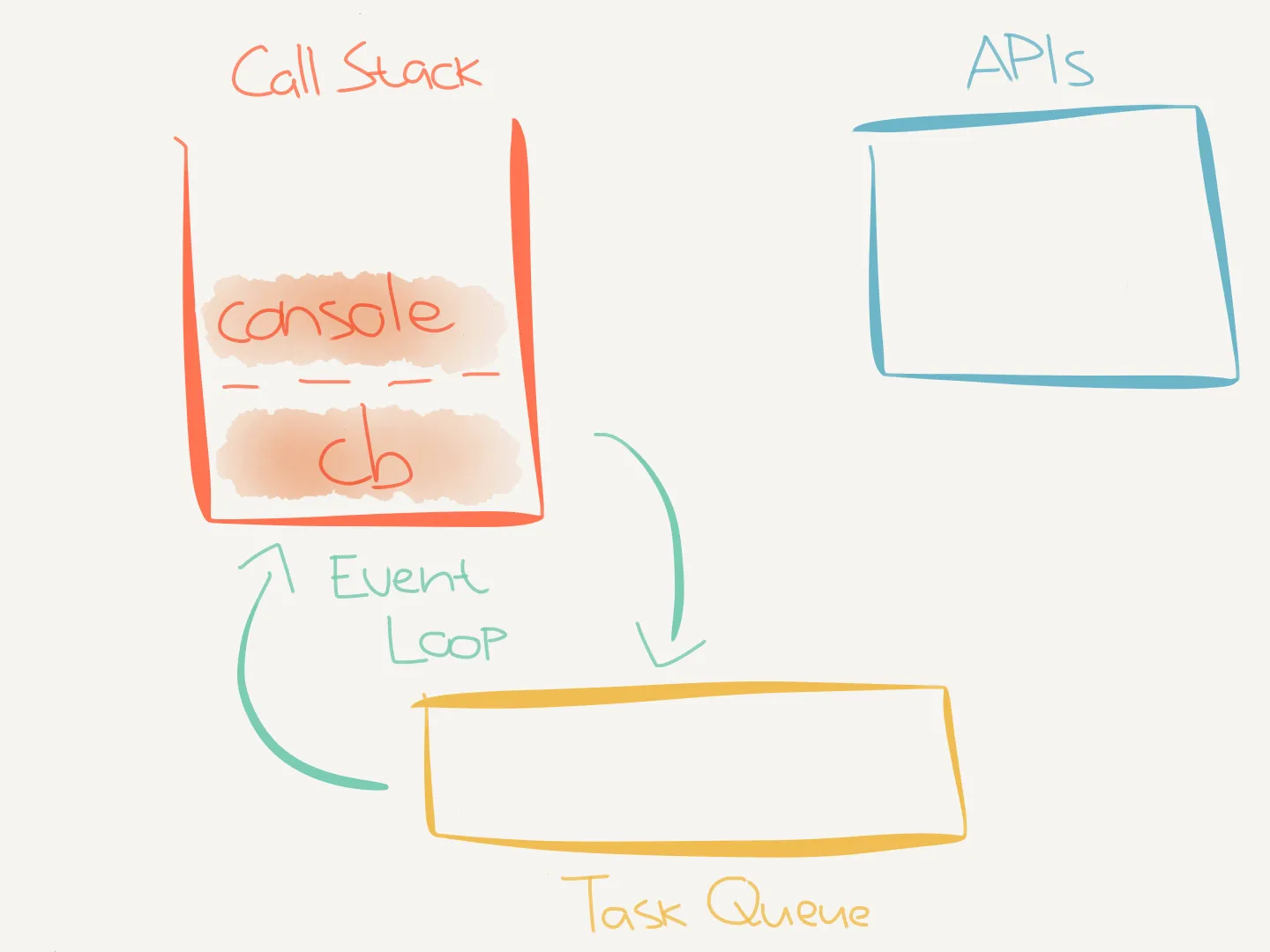
Neither reuse nor this ordering is guaranteed. If Lambda discards the environment, that unfinished callback never runs. See the AWS Lambda runtime environment docs for more information.
Doing it right
Obviously this is undesired behavior and you should not write your code in the same way we wrote the code in timeout.js.
As stated in the AWS docs, we need to make sure to complete processing all callbacks before our handler exits:
Make sure that any background processes or callbacks in your code are complete before the code exits.
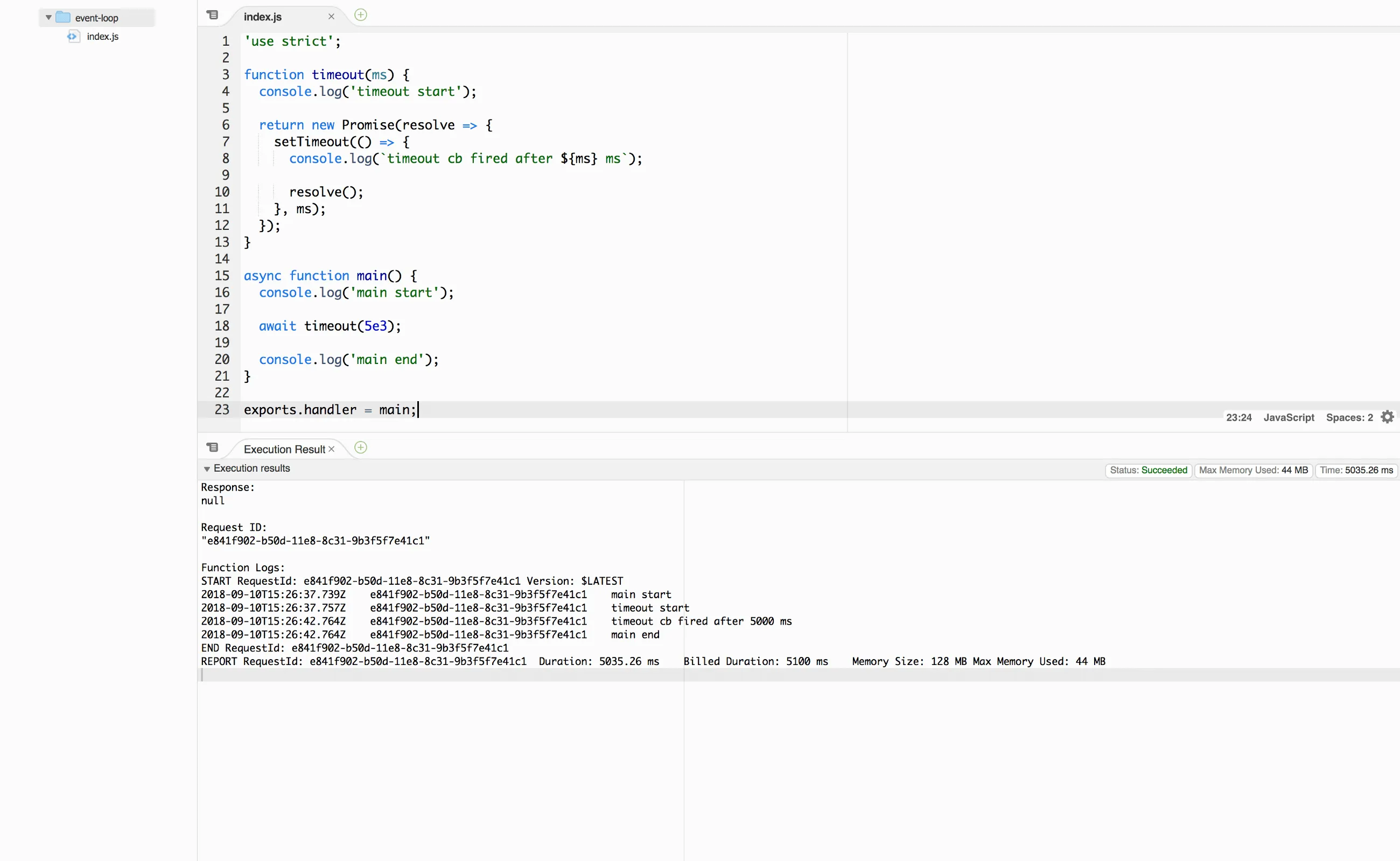
Therefore we’ll make the following change to the code in timeout.js:
timeout(5e3);await timeout(5e3);This change makes sure the handler function does not finish until the promise returned by timeout fulfills.
The timeout function itself still returns immediately. But await makes main wait for the timer callback to call resolve():
"use strict"
function timeout(ms) { console.log("timeout start")
return new Promise((resolve) => { setTimeout(() => { console.log(`timeout cb fired after ${ms} ms`) resolve() }, ms) })}
async function main() { console.log("main start") await timeout(5e3) console.log("main end")}
exports.handler = mainWhen we run our code with this change, all is well now.
Macrotasks and microtasks
I intentionally left out some details about the task queue.
There are actually several queues.
For example, one for macrotasks (e.g. setTimeout callbacks) and one for microtasks (e.g. Promise handlers like .then()).
Node.js processes the microtask queue before moving on to the next event loop callback. While these microtasks are processed they can enqueue more microtasks, which will also be processed before moving on.
For more information see this RisingStack article where they go into more detail.
Note
This page was originally published on Medium.